
For most researchers, the right approach is modular: pair a dedicated viewer or segmentation tool with a reproducibility layer rather than hunting for a single ImageJ replacement. The strongest first choice depends on your task. For high-throughput plate-based assays, start with CellProfiler. For whole-slide imaging, QuPath is the field standard. For Python-native workflows, napari integrates cleanly with scikit-image and PyTorch. Oltodiscovery complements any of these by capturing parameterized pipelines, generating public reproducibility passports, and producing deterministic protocol fingerprints that satisfy FAIR data principles and NIH reproducibility requirements.
The core insight: No single tool replaces every ImageJ feature. A modular stack, viewer plus segmentation engine plus reproducibility layer, outperforms any one-size-fits-all substitute and keeps your analysis auditable from raw input to published result.
Quick orientation by task:
- Fluorescence microscopy quantification (single-tile): Fiji or CellProfiler
- Whole-slide brightfield or fluorescence: QuPath
- Interactive ML segmentation: Ilastik or napari
- High-throughput batch pipelines: CellProfiler or scikit-image/OpenCV
- Custom algorithm development: scikit-image, OpenCV, or ITK
- Protocol capture and reproducibility: Oltodiscovery
Table of Contents
- Which ImageJ alternative fits your workflow?
- Practical profiles of the top ImageJ substitutes
- How do you choose the right tool for your project?
- Is Fiji the same as ImageJ, and when should you use it?
- How Oltodiscovery fits into a reproducible image-analysis workflow
- Key Takeaways
- The tool ecosystem is mature, but reproducibility is still the gap
- Oltodiscovery makes reproducible image analysis practical
- Useful sources and documentation
Which ImageJ alternative fits your workflow?
The table below maps tool categories to the dimensions that matter most for selection. Named tools appear in the profiles that follow.
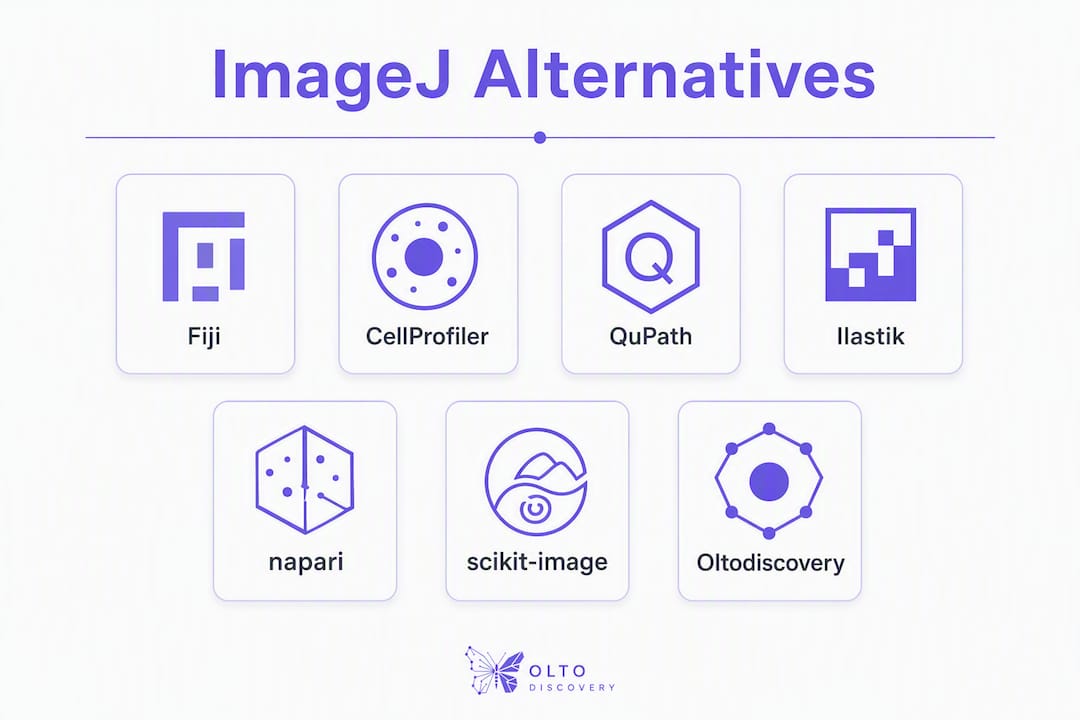
| Category | Best for | License / Cost | GUI vs Scripting | Scripting Language | Batch Capability | ML / Segmentation | Platform | Community / Docs |
|---|---|---|---|---|---|---|---|---|
| Batteries-included ImageJ (Fiji) | Drop-in replacement; plugin-heavy workflows | Open-source / Free | GUI + macro | ImageJ macro, Groovy, Python | Moderate | Limited native ML | Win / Mac / Linux | Very large; Image.sc |
| GUI pipeline tool (CellProfiler) | Plate-based assays; automated quantification | Open-source / Free | GUI-first | Python (scripting API) | High | Plugin-based | Win / Mac / Linux | Large; Broad Institute |
| WSI / whole-slide tool (QuPath) | Large-format brightfield and fluorescence | Open-source / Free | GUI + scripting | Groovy | High (tile streaming) | Integrated classifiers | Win / Mac / Linux | Large; active forum |
| Interactive ML tool (Ilastik) | Pixel classification; users without ML expertise | Open-source / Free | GUI-first | None required | Moderate | Core feature | Win / Mac / Linux | Moderate; docs + forum |
| Python viewer (napari) | Multi-dimensional visualization; custom plugins | Open-source / Free | GUI + code | Python | High (with plugins) | Plugin ecosystem | Win / Mac / Linux | Growing; Image.sc |
| Scientific Python stack (scikit-image / OpenCV) | Custom algorithms; ML pipeline integration | Open-source / Free | Code-only | Python / C++ | High | Full (PyTorch / TensorFlow) | Win / Mac / Linux | Large; Stack Overflow |
A few clarifications worth noting:
- QuPath's tile-streaming architecture is specifically designed to prevent the memory crashes that occur when loading large multi-channel whole-slide images into ImageJ.
- Ilastik's interactive annotation loop requires no prior ML expertise but does require a workflow shift from manual thresholding.
- napari is a viewer first; analysis capability comes from the plugin ecosystem and direct Python scripting.
Practical profiles of the top ImageJ substitutes
Fiji (ImageJ distribution)
Fiji is the "batteries-included" distribution of ImageJ, bundling hundreds of community plugins and an automatic updater that resolves the dependency friction that trips up newcomers. If your current pain point is missing plugins or broken macro dependencies, Fiji fixes that without requiring an ecosystem change. The learning curve is shallow for anyone already familiar with ImageJ macros. Scripting is available in Groovy, Python (via Jython), and BeanShell. For very large datasets, JVM memory overhead becomes a real constraint.
Best for: Researchers who need a drop-in ImageJ upgrade with more plugins and less setup friction. License: Open-source, free. Platforms: Windows, Mac, Linux.
Pro Tip: Before migrating to a new ecosystem, install Fiji and run your existing macros. Most dependency errors resolve automatically through the updater.
CellProfiler
Developed by the Broad Institute, CellProfiler is purpose-built for automated, pipeline-based quantification of microscopy images. Its drag-and-drop module system lets biologists build reproducible segmentation and measurement pipelines without writing code. Batch processing across multi-well plates is a core strength. A Python scripting API is available for advanced customization. CellProfiler integrates well with downstream statistical tools and is widely cited in peer-reviewed literature.
Best for: High-throughput plate-based assays; cell counting, morphology, and intensity measurements. License: Open-source, free. Platforms: Windows, Mac, Linux.
QuPath
QuPath is the open-source standard for annotation and quantitative analysis of whole-slide images. Its tile-based processing architecture streams data rather than loading entire images into memory, which is why it handles multi-gigabyte WSI files that would crash ImageJ. Scripting in Groovy enables batch annotation and measurement. Built-in classifiers support tissue segmentation and cell detection. The documentation is thorough, and the user community is active on the Image.sc forum.
Best for: Pathology, histology, and any workflow involving large-format brightfield or fluorescence WSI. License: Open-source, free. Platforms: Windows, Mac, Linux.
Ilastik
Ilastik takes a fundamentally different approach: users draw annotations on a small number of representative pixels, and the tool trains a classifier in real time, showing segmentation feedback immediately. No ML expertise is required to get started. The trade-off is an annotation-and-train loop that takes more initial setup than a threshold-based approach, but the payoff is substantially better segmentation on heterogeneous or noisy datasets. Ilastik handles 3D and time-series data and exports results to HDF5 or TIFF for downstream processing.
Best for: Pixel classification and segmentation on complex or heterogeneous images where manual thresholding fails. License: Open-source, free. Platforms: Windows, Mac, Linux.
napari
napari is a fast, interactive viewer for multidimensional images built natively in Python. It is the go-to choice for developers building custom analysis tools, because it integrates directly with NumPy, scikit-image, and PyTorch without bridging layers. The plugin ecosystem is growing quickly, with community plugins covering segmentation, tracking, and annotation. napari is a viewer first; it does not ship with a built-in pipeline builder, so analysis logic lives in Python scripts or notebooks.
Best for: Python developers; multi-dimensional data visualization; custom plugin development. License: Open-source, free. Platforms: Windows, Mac, Linux.
scikit-image and OpenCV
scikit-image and OpenCV are code-first libraries, not applications. scikit-image provides a clean Python API for filtering, segmentation, and morphological operations. OpenCV adds real-time processing, feature detection, and C++ performance when Python throughput is insufficient. Both integrate directly with PyTorch and TensorFlow, making them the natural foundation for ML-driven analysis pipelines. Neither has a GUI; the learning curve is steep for researchers without Python experience.
Best for: Custom algorithm development; ML pipeline integration; performance-critical batch processing. License: Open-source, free. Platforms: Windows, Mac, Linux.
Oltodiscovery
Oltodiscovery is not a pixel-processing tool. It is the reproducibility layer that sits alongside any of the tools above. Its image and gel analysis modules handle quantification tasks directly in the browser, while its protocol library, deterministic fingerprints, and public reproducibility passports document exactly how an analysis was run. For a dual immunofluorescence quantification protocol, for example, Oltodiscovery captures the segmentation parameters, software version, and input file hashes alongside the protocol steps, producing a verifiable record that satisfies journal reproducibility requirements.
How do you choose the right tool for your project?
Work through these questions before committing to a new tool:
- Dataset size and format: Does your data fit in RAM, or do you need tile-streaming? Files above a few gigabytes almost always require QuPath or a Python-based approach.
- Interactivity vs. automation: Do you need to inspect and annotate manually, or run unattended overnight? CellProfiler and scripted Python pipelines handle the latter; napari and Ilastik are built for the former.
- ML requirements: Is your segmentation problem too heterogeneous for threshold-based methods? Ilastik's annotation loop or a napari/scikit-image pipeline with a trained classifier will outperform manual tuning.
- Language and ecosystem preference: If your lab already writes Python, napari plus scikit-image is the natural fit. If your team is GUI-first, CellProfiler or QuPath reduces the learning curve significantly.
- Reproducibility and provenance: Can you reconstruct the exact analysis from your records? If not, a reproducibility layer like Oltodiscovery belongs in the stack.
- Community and maintenance: Check GitHub commit frequency and the Image.sc forum activity for the tool you are evaluating. An unmaintained tool is a liability for long-running projects.
Scenario-to-tool mapping:
- Single-tile fluorescence quantification: Fiji or CellProfiler
- Multi-channel confocal stacks: napari or CellProfiler
- Whole-slide brightfield pathology: QuPath
- High-throughput plate-based screening: CellProfiler
- ML-driven segmentation on complex tissue: Ilastik or napari + scikit-image
Pro Tip: Prototype on a small, canonical subset of your data before committing to a pipeline. Version your input files, record all parameter values, and script or record every step. Reproducing a result from scratch on that subset is the fastest way to catch undocumented decisions before they propagate to the full dataset.
Is Fiji the same as ImageJ, and when should you use it?
Fiji and ImageJ are related but not identical. Fiji packages ImageJ together with a curated set of community plugins and an automatic updater, so installation resolves most dependency problems that frustrate new ImageJ users. Think of Fiji as the version of ImageJ that most researchers should actually install.
When Fiji is the right choice:
- You are already using ImageJ macros and want more plugins without manual installation.
- Your workflow depends on Bio-Formats, TrackMate, or other bundled extensions.
- You want a stable, well-documented starting point before evaluating other tools.
When to move beyond Fiji:
- Your images are whole-slide or multi-gigabyte files. QuPath handles these natively; Fiji will struggle with memory.
- You need seamless ML integration. Python-based tools connect directly to PyTorch and TensorFlow without the JVM overhead that ImageJ carries.
- Your pipeline requires unattended batch processing at scale. CellProfiler's module system or a scripted Python pipeline is more maintainable for that workload.
How Oltodiscovery fits into a reproducible image-analysis workflow
The gap most image-analysis tools leave open is documentation. A CellProfiler pipeline file or a napari plugin script captures the logic, but it does not automatically record the software version, the input file checksums, the random seed used for any classifier, or the parameter values chosen during an interactive session. That gap is where reproducibility breaks down.
Oltodiscovery closes it through several concrete mechanisms:
- Protocol capture: Parameterized analysis steps, including segmentation thresholds, channel assignments, and filter settings, are embedded directly in the protocol record.
- Deterministic fingerprints: Content-addressed hashes link raw input files and output tables to the protocol version that produced them.
- Reproducibility passports: A public, shareable passport documents the full analysis chain. The reproducibility passport for a dual immunofluorescence quantification protocol shows what this looks like in practice.
- Browser-based image analysis: For gel quantification and fluorescence intensity measurements, Oltodiscovery's built-in modules handle the analysis without requiring a separate application.
A practical example: a researcher running a CellProfiler pipeline for a pluripotency quality control protocol exports the per-cell measurements, then logs the pipeline file, software version, and input checksums in Oltodiscovery. The result is a protocol record that a collaborator or reviewer can follow step-by-step and verify independently.
Pro Tip: In multi-user labs, reproducibility failures often trace back to undocumented parameter changes between users. Require every team member to commit a config file and a seed value to the protocol record before running any analysis. Oltodiscovery's reproducibility passport makes this a one-step action rather than a separate documentation task.
For teams working on reproducible research analysis, pairing a capable image tool with a structured protocol record is the difference between results that can be verified and results that cannot.
Key Takeaways
A modular stack, combining the right image-analysis tool with a reproducibility layer, produces more auditable and publication-ready results than any single ImageJ substitute.
| Point | Details |
|---|---|
| Match tool to task | QuPath for WSI, CellProfiler for plate assays, Ilastik or napari for ML segmentation, scikit-image/OpenCV for custom pipelines. |
| Try Fiji first | Fiji resolves most ImageJ plugin and dependency issues without requiring an ecosystem change. |
| Python stack for ML | napari, scikit-image, and OpenCV integrate directly with PyTorch and TensorFlow; Fiji's JVM adds overhead for these workflows. |
| Prototype on small data | Version inputs, record all parameters, and confirm reproducibility on a canonical subset before scaling to full datasets. |
| Oltodiscovery for reproducibility | Pair any image tool with Oltodiscovery to capture parameterized pipelines, generate reproducibility passports, and satisfy FAIR and NIH documentation requirements. |
The tool ecosystem is mature, but reproducibility is still the gap
The honest observation after evaluating these tools is that the image-analysis software ecosystem has never been stronger. CellProfiler, QuPath, Ilastik, and napari are all genuinely capable, actively maintained, and free. The bottleneck is no longer finding a tool that can segment cells or stream whole-slide images.
The bottleneck is documentation. Researchers routinely produce high-quality segmentation results that cannot be reproduced six months later because the parameter choices, software versions, and input file states were never formally recorded. A CellProfiler pipeline file is a good start, but it does not capture the version of CellProfiler used, the state of the input directory, or the manual decisions made during module configuration.
The conventional advice is to "keep good notes." That advice underestimates how much friction manual documentation creates in a busy lab. The practical answer is to build the documentation step into the tool itself, which is exactly what reproducibility passports and deterministic fingerprints do.
One more caution worth naming: ML-based tools like Ilastik and napari plugins require an annotation-and-train loop that takes real time to set up correctly. Researchers who underestimate that investment often abandon the tool after a frustrating first session. The payoff on heterogeneous datasets is genuine, but the initial setup cost is higher than threshold-based methods. Budget for it.
Oltodiscovery makes reproducible image analysis practical
Choosing the right image-analysis tool is only half the problem. The other half is producing a protocol record that a collaborator, reviewer, or future lab member can actually follow and verify. Oltodiscovery gives researchers a structured way to document every analysis decision, from segmentation parameters to input file checksums, without adding a separate documentation workflow.
The platform's image and gel analysis modules handle quantification directly in the browser. Its open protocol library includes published examples of image-analysis workflows with embedded reproducibility passports, so you can see exactly what a verifiable protocol record looks like before building your own. Deterministic fingerprints tie raw inputs and outputs to the protocol version that produced them, satisfying FAIR data principles and NIH reproducibility requirements in a single step.
Start a free trial at Oltodiscovery and connect your next image-analysis pipeline to a publication-ready protocol record.
Useful sources and documentation
The resources below are the canonical starting points for each tool. Community hubs like Image.sc are best for troubleshooting and plugin discovery; official documentation is the authoritative reference for API details and configuration options. When reproducing a published analysis, cite the specific documentation version alongside your methods.
- Fiji: fiji.github.io — official site with download, plugin index, and update documentation. Best for newcomers and macro users.
- CellProfiler: cellprofiler.org — pipeline tutorials, example projects, and the Broad Institute forum. Strong beginner resources.
- QuPath: qupath.github.io — full documentation, scripting guide, and community forum. The scripting section is essential for batch workflows.
- Ilastik: ilastik.org — workflow-specific documentation covering pixel classification, object detection, and tracking. Tutorials are well-suited to first-time ML users.
- napari: napari.org — plugin hub, API reference, and example notebooks. The plugin index is the fastest way to find community-built analysis tools.
- scikit-image: scikit-image.org — API reference and gallery of examples. Best used alongside the SciPy ecosystem documentation.
- OpenCV: docs.opencv.org — comprehensive C++ and Python API reference. Advanced users; assumes programming experience.
- Image.sc Forum: forum.image.sc — the central community hub for troubleshooting and peer advice across all major bioimage tools. Covers Fiji, CellProfiler, QuPath, napari, and Ilastik.
- University of Pennsylvania CDB Microscopy Core: med.upenn.edu/cdbmicroscopycore — curated list of free imaging software with use-case notes; useful for institutional context and tool vetting.
- EVAnalyzer: evanalyzer.org — documentation for the next-generation bioimage analysis platform with multi-channel viewer and configurable pipeline builder; relevant for fluorescence and high-content imaging workflows.
- DIPlib: diplib.org — documentation for the C++/Python image processing library; relevant for advanced users building performance-critical custom algorithms.